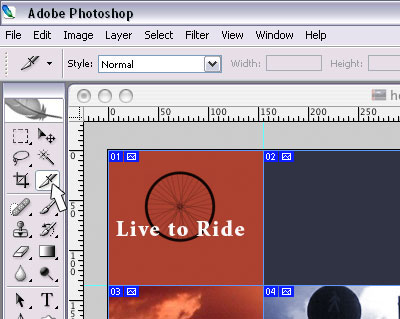
- select the slice tool
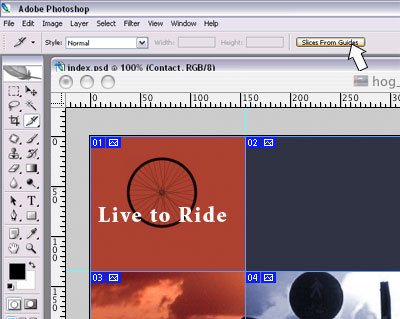
- click slices from guides in the options toolbar
- if you have a complex layout, you may end up with more slices than you need, in that case...
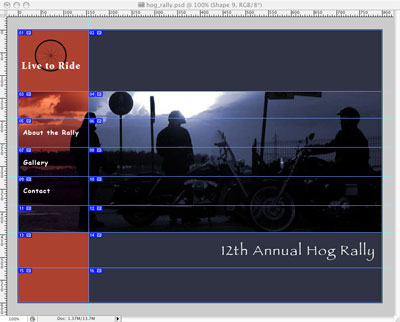
- select the slice select tool (underneath the slice tool)
- shift select the slices you want to combine, then right-click and select combine slices or delete slices as needed
Note: I only have slices where needed, around navigation elements, images, and text areas.
- select File>Save
Note: be sure to save your file as a PSD to preserve the layers, that way you can always go back and make changes.