Course Duration: Summer Semester 2019, 6-29-19 to 8-09-19
Online Section #80188
The class will work with Canvas. You can access Canvas by first logging into Pipeline, then clicking on the Canvas link ON THE TOP_RIGHT of the Nav-bar. Canvas a has red-circular icon.
When you get to Canvas, choose the name of your class: MAT112, Digital Drawing.
Once you get to the homepage of our class, you will see the basic instructions at the top of the homepage, followed by the content of the class organized in modules.
There is a Content page, a Discussion and an Assignment in each module. Because we are working in a condended session, several modules will be due each week. The work of each week will culminate with a Project, where you will build up on what you have learned and practiced through the modules.
Class Description: MAT 112 — Digital Drawing (formerly Illustrator)
Introduction to Adobe Illustrator as a medium for Digital Drawing. How to use the software's tools for developing the best possible artwork and how to export it for web, screen or mobile media.
(TR: CSU)
*SKILLS ADVISORY: Eligibility for English 100, 103.
We will work with Adobe Illustrator CC. All Versions within the CC are accepted.
If you don't have Illustrator, you can lease it from Adobe through the Adobe Cloud system. Adobe leases software with a year-contract and you will pay monthly. This is the best option if you are planning to take more classes in Media Arts in the close future. You should always look for the student price. You can lease the Whole Creative Cloud or just one, or a combination of few software pakages. Offers are always coming out.
https://www.adobe.com/creativecloud/buy/students.html?promoid=PQ7SQCMS&mv=other
you might sometimes, want to use a graphic editor to crop/resize and compress bitmap-images. Adobe Photoshop preferred. If you don't have access to Photoshop, please let me know. It is not fundamental for this course, anyway.
Learning
Outcomes
Upon Successful completion of the course, the student will be able to:
1. Input, create, edit, enhance and composite, a variety of vector_based media.
2. Optimize and format their files for output to web, screen or mobile media.

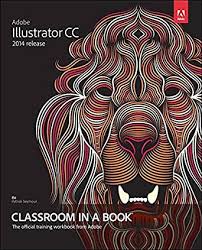
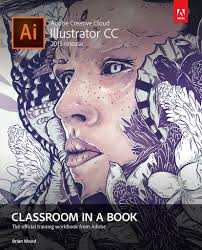
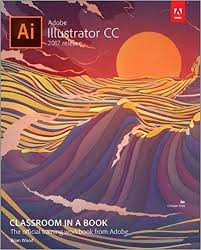
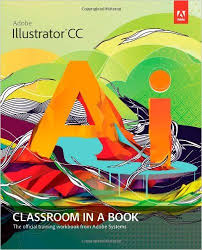
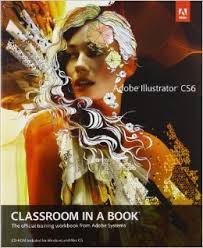
The class uses a book for reference. "Adobe Illustrator, Classroom in a book", from Adobe Press. Pearson Education.
You can use the version of the book that matches your software. All books have the same content, but assignments will have slightly different graphic content. There is a more recent version (CC 2019), it is more expensive and the basic content is the same than the others. I recommend you look at prices for the CC2018, and CC2017, that will be much cheaper (Amazon or favorite online store).You can also get the Kindle version, that is cheaper.You can download the Kindle reader into your computer.
|  |
 |
|||
Adobe Illustrator CC ISBN-13: 978-0133905656 |
Adobe Illustrator CC ISBN-13: 978-0134308111 |
Adobe Illustrator CC ISBN-13: 978-0134663449 |
|||
 |
 |
My advice is that you go to Amazon.com and find the best book for you. You can get a used book. If your book does not contain the CD with the exercises, we will put them up. |
|||
Adobe Illustrator CC ISBN-13: 978-0321929495 |
Adobe Illustrator CS6 |
LINKEDIN.
I am providing links to free training videos from Linkedin and Adobe TV.
As a student in SBCC you all have access to the complete library @Linkedin, previously lynda.com for free.
How to access the Linkedin Library from pipeline.
The first time you go to Linkedin, you will have to verify that you are a student at SBCC.
Go to pipeline / Find the Student tab /Click then on Resources / In that page, on your right, you will see the link to "Linkedin Training" with a blue logo/ Follow the link to the dialog window.
Please enter again your pipeline user name and password, to prove that you are a student. Don't enter the information about your personal linkedin account (if you have one).
You can try watch this first video in Linkedin, from Adobe Illustrator CC 2019, Essential training:
https://www.linkedin.com/learning/illustrator-cc-2019-essential-training/what-is-adobe-illustrator?u=67553954&auth=true
Once you are in, on the right of the chosen video, you will always see all the training videos in that volume on the right side, you can click on some videos. During the course, i will give you specific links to videos, related to what we are learning.
THE CLASS
The class is divided into 15 modules. Each module is dedicated to a certain technique, tool or work-flow that needs to be mastered.
To complete a module you should follow the book lesson according to the reading guidelines, practice with the book materials, consult the free training videos that we link to and find others if you need more practice on a certain subject matter.
Every module has one "assignment due" that you will submit as an Illustrator (.ai) file but you should practice before you work on the assignment.
I also provide some links to guided tutorials that I think you should follow to better develop your abilities.
Each assignment is worth a maximum of 25 points.
Every module has a Discussion/forum where you should participate within the week dedicated to that module. Posts submitted after the final due date will not get counted for grade.
Discussions/Forums count as participation in an online class so your presence is important.
In this class, you can participate in the forum by attaching your assignment or tutorial Illustrator file to your post. If you do so, you will have to compress your artwork for web, as a JPEG or gif file. Module 12 teaches you how to compress Illustrator files for web. Only JPEGS or GIFs of your work will count for points in the forums.
The right participation on each forum is worth 10 points in this class.
There are 7 Projects in the course, assigned to different modules. Projects have a more creative and challenging nature and will be an opportunity to use your acquired skills towards a piece for your portfolio. An assignment is considered practice but a project is graded according to original approach, design values (color, formal and composition) and technique adapted to a visual goal.
The last project will have a sight wider scope and will accept blending work from previous ones. It will be considered and graded as a Final Project for the class.
Tentative
Grading
| WEEKS | 1 | 2 | 3 | 4 | 5 | 6 | ||||||||||||
MODULES |
1 | 2 | 3 | 4 | 5 | 6 | 7 | 8 | 9 | 10 | 11 | 12 | 13 | 14 | 15 | 16 | TOTAL: 1425 points | |
| ASSIGNMENTS | 25 | 25 | 25 | 25 | 25 | 25 | 25 | 25 | 25 | 25 | 25 | 25 | 25 | 25 | 25 | 375 | ||
| FORUMS | 10 |
10 | 10 | 10 | 10 | 10 | 10 | 10 | 10 | 10 | 10 | 10 | 10 | 10 | 10 | 150 | ||
| ADVANCED FORUM | 20 | 20 | 20 | |||||||||||||||
| PROJECTS | 100 | 100 | 100 | 100 | 100 | 100 | 300 | 900 | ||||||||||