Course Duration: Fall 2025, 8-25-25 to 12-13-25
Online Section #43708
The class will work in Canvas. You can access Canvas by first log-into
https://my.sbcc.edu/
Then click on the Canvas link. It is the third link under "Shortcuts", Red Column menu on your Left.
When you get there choose the name of your class: MAT112, Digital Drawing.
Once you get to the homepage of our class, you will see the basic instructions at the top of the homepage, followed by the content of the class organized in weekly-modules.
There is a Content page, an Assignment and a Discussion for each module. In the Summer, we complete 3 modules each week, the first 3 modules correspond to the first week of class.
Class Description: MAT 112 — Digital Drawing (formerly Illustrator)
Introduction to Adobe Illustrator as a medium for Digital Drawing. How to use the software's tools for developing the best possible artwork and how to export it for web, screen or mobile media.
(TR: CSU)
SOFTWARE
We will work with Adobe Illustrator CC, the previous versions to the 2025 version of the software are also accepted.
The department will provide a temporary license (6 weeks) to students in this class. I have already contacted IT. We expect to have licenses working by by first or secon day of the first week.
If you have just signed up for the class, we will have to go through the process, please conact me so I can provide your name.
Everybody should make a free account with adobe.com using your pipeline email as a user name (you might already have this specific account from previous classes in the Media Arts area. Use whatever password you want and write it down. Your create anew account from the same biutton on the right to log-in.
https://www.adobe.com/
You should download Adobe Illustrator form Adobe's website. It is a very big file. There is a page in your class on Canvas, called "MAT 112 2024, Read First" where you can see screenshots of the process, if you need help.
When the department's license for you gets activated, your Adobe Account should show a plan that says:"FCCC-Santa Barbara City College" (the page on Canvas will show how to find information about your "Adobe Account").
ADOBE ACCOUNTS INTERACTING
If you already have a different subscription (with Adobe directly, through CollegeBuys or through other instritution), having 2 plans at the same time might make neither one work. If this is happening to you, Log OUT completely from Adobe.com and from The Adobe Cloud app in your computer. Then Log-IN again with the account that you want to use.
Learning
Outcomes
Upon Successful completion of the course, the student will be able to:
1. Input, create, edit, enhance and composite, a variety of vector_based media.
2. Optimize and format their files for output to web, screen or mobile media.
CLASS BOOK
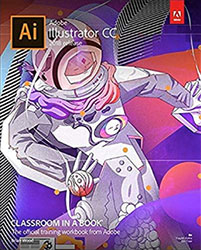
We will use the book: "Adobe Illustrator, Classroom in a book", for the exercises.
You can get any of the recent versions of the book (2024, 2023, 2022, 2020, 2019, 2018...).
Books are very similar, as all the recent CC versions of Illustrator are very similar too. Older versions of the book (2023 and older, are much cheaper).
You can also get the pdf document of the book (web version), instead of the printed book. Notice that you can now also rent a book or buy it used.
Students working on different versions of the book might use slightly different motifs for their assignments, but the content and technique is the same.
2025 version of the book: https://www.amazon.com/Adobe-Illustrator-Classroom-Book-Release/dp/013537684X
2024 version of the book: https://www.amazon.com/Adobe-Illustrator-Classroom-Book-Release/dp/0138263825
2023 version of the book: https://www.amazon.com/dp/0137967179
2022 version of the book: https://www.amazon.com/Adobe-Illustrator-Classroom-Book-release/dp/0137622155
2021 Version of the book: https://www.amazon.com/Adobe-Illustrator-Classroom-Book-release/dp/0136805531
2020 Version of the book: https://www.amazon.com/Adobe-Illustrator-Classroom-Book-release/dp/013641267X
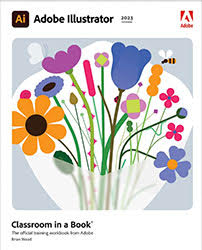 |
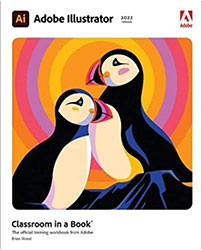 |
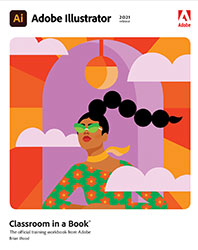 |
|||
Adobe Illustrator CC 2023 ISBN-13: 978-013796717-9 |
Adobe Illustrator CC 2022 ISBN-13: 978-0137622153 |
Adobe Illustrator CC 2021 ISBN-13: 978-0136805533 |
|||
 |
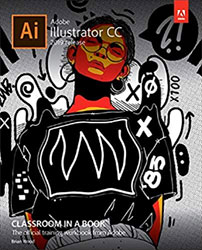 |
 |
|||
Adobe Illustrator CC 2020 ISBN-13: 978-0136412670 |
Adobe Illustrator CC 2019 |
Adobe Illustrator CC 2018 |
You can go to to Amazon or another online seller and choose the best offer you can find.
The Bookstore has the 2025 book available for purchase too. If you are a Promise student, get it from there.
You could also get it from Pearson, the editor of the book. Shipping will take a bit longer.
You will dowload the sample files from the editor's server, after you purchase your book.
First make a new account here so your can register the book that you have purchased.
https://memberservices.informit.com/my_account/login.aspx
There will be a page in Canvas, on module 1, that explains how to do it. Contact me if you cannot get access to the lesson-files.
Notice that each book will have slightly different images and motives fpor the excercises, but they all cover the same content.
VIDEOS:
I am providing links to free training videos from Linkedin learning and some good YouTube videos.
Students at SBCC can now access the Linkedin leaning Library through the SCCRC association of regional colleges.
On every content page on Canvas I provide a "Long Link" for the first video. Choose that one link first.
It will ask you to enter your pipeline credentials (to verify that you are a student at a college in California). After going through that first time, normal links will work. After 3-4 days you might have to verify yourself again by following a "long Link".
If Linkedin requests that you sign IN to see a video, remember to enter your pipeline username and password.
CLASS STRUCTURE
The class is divided into 15 modules. Each module is dedicated to a certain technique, tool or work-flow that needs to be mastered.
We will complete one module every week. Please organize your schedule so you can allocate
To complete a module you should follow the book lesson according to the reading guidelines, practice with the book materials, consult the free training videos that we link to and find others if you need more practice on a certain subject matter.
Every module has one assignment based on the book or on a sample file that I porovide for you. Please submit as an Illustrator (.ai) file, so I can see all your work.
You should practice on a blank file before you work on the assignment.
Each assignment is worth a maximum of 25 points.
Every module has a Discussion.You should participate within the week dedicated to that module (see precise dealines for due-dates).
Discussions count as participation in an online class so your post in there is important.
In this class, you can participate in the forum by attaching your assignment image to your post. If you do so, you will have to compress your artwork for web, as a JPEG or GIF file. Module 12 teaches you how to compress Illustrator files for web. Posting a JPEG/JPEGs or GIFs of your work will give you the maximum amount of points, commenting on other's posts will give you extra-credit.
The right participation on each forum is worth 10 points in this class.
Every 3 weeks there will be a Project with a theme, where you can integrate what you have learned so far.
Projects have a more creative nature and will be an opportunity to use your acquired skills towards a piece for your portfolio.
An assignment is considered practice but a project is graded according to original approach, design values (color, formal and composition) and technique adapted to a visual goal.
Prejects 4 and 5 will be revisited and expanded towards a Final Project for the class.
Projects are worth a maximum of 100 points. The Final Project is worth 300 points.
Tentative
Grading
| WEEKS | 1 | 2 | 3 | 4 | 5 | 6 | ||||||||||||
MODULES |
1 | 2 | 3 | 4 | 5 | 6 | 7 | 8 | 9 | 10 | 11 | 12 | 13 | 14 | 15 | 16 | TOTAL: 1425 points | |
| ASSIGNMENTS | 25 | 25 | 25 | 25 | 25 | 25 | 25 | 25 | 25 | 25 | 25 | 25 | 25 | 25 | 25 | 375 | ||
| FORUMS | 10 |
10 | 10 | 10 | 10 | 10 | 10 | 10 | 10 | 10 | 10 | 10 | 10 | 10 | 10 | 150 | ||
| PROJECTS | 100 | 100 | 100 ExtraC | 100 | 100 | 300 | 900 | |||||||||||
School Calendar
Last day to add or drop, and receive a refund: September 6 with refund.
Last day to withdraw from classes without a letter grade: October 24.
Last day to switch to Pass/ No pass (you will not get a letter grade): December 5.
Last day of instruction: December 6.
Accommodations for Students with Disabilities:
Disability Services and Programs for Students (DSPS) coordinates all academic accommodations for students with documented disabilities at Santa Barbara City College. If you have or think you might have a disability that impacts your educational experience in this class, contact DSPS to determine your eligibility for accommodations. DSPS can be reached by phone or email. The phone number is 805-730-4164 or send email to dsps@sbcc.edu.
If you have already registered with DSPS, please submit your accommodation requests via the ‘DSPS Online Services Student Portal’ as soon as possible. This needs to be done each semester. If you have any questions or concerns about your accommodations, make an appointment with a DSPS Counselor. Complete this process in a timely manner to allow adequate time to provide accommodations.
Health services:
Student Health Services offers Medical, Mental Health, and Wellness Services to for-credit students. “The Clinic” provides Medical and Mental Health Counseling Services which are free and confidential. “The WELL” provides a calming environment and offers a diverse range of health and wellness workshops.
For more information or to make an appointment: Call us at: (805) 730-4098, or Visit us at: The Clinic- Student Services 170 or The WELL- ECC 21, across from the Basic Needs Center.
Student Health Services ofrece servicios médicos, de salud mental y de bienestar a estudiantes que reciben créditos. “La Clínica” brinda servicios de asesoramiento médico y de salud mental que son gratuitos y confidenciales. “The WELL” brinda un ambiente relajante y ofrece una amplia gama de talleres de salud y bienestar.
Para obtener más información o programar una cita: Llámenos al: (805) 730-4098, o visítenos en: “The Clinic”- Servicios Estudiantiles 170 o “The WELL”-ECC 21, frente al Centro de Necesidades Básicas.